
Expert Tips for Selecting the Right UPS for Your Needs
Choosing the right uninterruptible power supply (UPS) can protect your devices, prevent data loss, and keep your operations running smoothly during power interruptions. But with so many options available, finding the best UPS for your specific needs can feel overwhelming. This guide breaks down the key factors to consider and offers practical advice to help you make a confident choice.

Understand What a UPS Does
A UPS provides backup power when the main electricity supply fails. It also protects connected equipment from power surges, voltage drops, and other electrical disturbances. This means your computer, server, or other sensitive electronics can keep running long enough to save work and shut down safely.
There are three main types of UPS systems:
Standby UPS: Activates backup power only when the main power fails. Best for basic home or small office use.
Line-Interactive UPS: Regulates voltage fluctuations and provides backup power. Suitable for small to medium businesses.
Online UPS: Provides continuous power from its battery, isolating equipment from all power issues. Ideal for critical systems and data centers.
Knowing these types helps you match the UPS to your power protection needs.
Calculate Your Power Requirements
Before buying a UPS, calculate the total power your devices will draw. This is usually measured in watts (W) or volt-amperes (VA). Check the power ratings on your equipment labels or manuals.
To estimate:
List all devices you want to connect to the UPS.
Note their wattage or VA rating.
Add these numbers to get the total load.
Add a safety margin of 20-30% to handle unexpected power spikes or future additions. For example, if your devices total 400 watts, look for a UPS rated for at least 500 watts.
Decide How Much Backup Time You Need
UPS backup time varies widely. Some models provide just a few minutes, enough to save files and shut down. Others offer hours of power for extended outages.
Think about what you want to achieve during a power failure:
Save work and shut down safely (5-15 minutes)
Keep running critical equipment for a longer period (30 minutes or more)
Maintain full operation during outages (hours)
Longer backup times require larger batteries, which increase the UPS size and cost. Balance your needs with your budget.
Consider the Number and Type of Outlets
Make sure the UPS has enough outlets for all your devices. Some UPS units offer a mix of battery-backed and surge-only outlets. Battery-backed outlets provide power during outages, while surge-only outlets protect against spikes but do not supply backup power.
Check the outlet types to match your plugs. Some UPS models include USB ports or network surge protection, which can be useful for specific setups.
Look for Key Features That Add Value
Certain features improve UPS usability and protection:
LCD Display: Shows real-time status like battery level, load, and input voltage.
Automatic Voltage Regulation (AVR): Stabilizes voltage without switching to battery.
Audible Alarms: Alert you to power issues or low battery.
Software Integration: Allows automatic shutdown of computers during outages.
Hot-Swappable Batteries: Enable battery replacement without shutting down the UPS.
Choose features that fit your technical comfort level and operational needs.
Check Battery Life and Replacement Options
UPS batteries degrade over time, typically lasting 3 to 5 years. Confirm how easy it is to replace the battery and the cost involved. Some models allow users to swap batteries themselves, while others require professional service.
Regular battery maintenance extends UPS life. Look for models with battery status indicators to monitor health.
Match UPS Size and Form Factor to Your Space
UPS units come in various sizes, from compact desktop models to large rack-mounted systems. Consider where you will place the UPS:
Desktop UPS fits under or beside a desk.
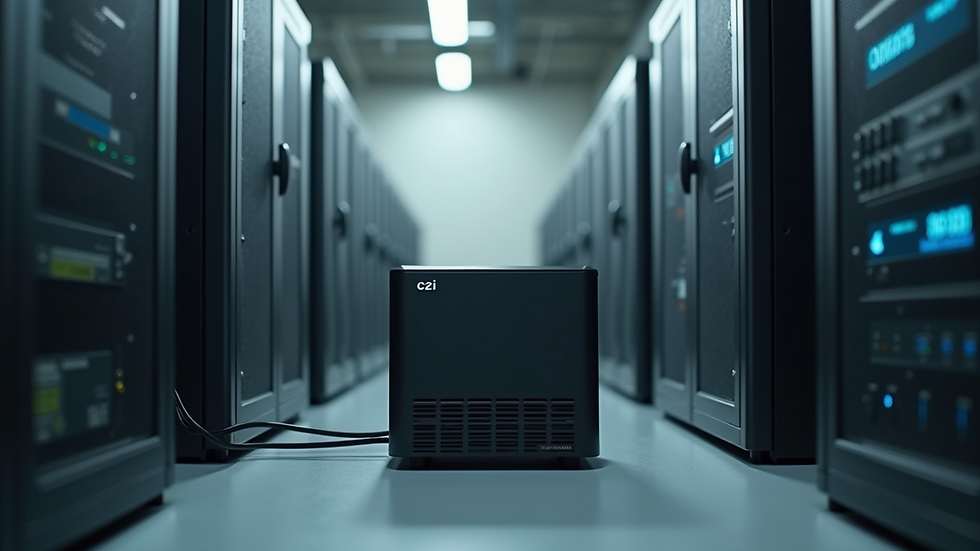
Tower UPS suits server rooms or equipment closets.
Rack-mounted UPS integrates into server racks.
Ensure the UPS fits your available space and cooling conditions.
Evaluate Brand Reputation and Warranty
Choose UPS brands with a solid reputation for reliability and customer support. Well-known manufacturers often provide better warranties and easier access to replacement parts.
Check warranty terms carefully. A longer warranty period offers peace of mind, especially for critical equipment.
Budget Wisely Without Sacrificing Quality
UPS prices vary widely. While it’s tempting to pick the cheapest option, low-cost UPS units may have limited capacity, shorter battery life, or fewer features.
Set a budget based on your power needs and desired backup time. Investing in a quality UPS can save money by preventing equipment damage and data loss.
Practical Example: Selecting a UPS for a Home Office
Imagine you have a desktop computer, a monitor, a modem/router, and a printer. Their combined power draw is about 350 watts.
Add 30% safety margin: 350 × 1.3 = 455 watts.
Choose a UPS rated for at least 500 watts.
Decide on 10 minutes of backup time to save work and shut down.
Look for a UPS with at least 4 battery-backed outlets and surge protection.
Consider a model with an LCD display and software for automatic shutdown.
This approach ensures your home office stays protected during brief outages.
Tips for Installation and Maintenance
Place the UPS in a cool, dry, and ventilated area.
Avoid plugging high-power devices like printers into battery-backed outlets.
Test the UPS regularly by simulating a power outage.
Replace batteries as recommended by the manufacturer.
Keep firmware and software updated if applicable.
Proper care extends UPS lifespan and reliability.
Selecting the right UPS means understanding your power needs, backup time requirements, and the features that matter most. By following these expert tips, you can protect your devices and data effectively without overspending. Start by calculating your load and backup time, then choose a UPS that fits your space and budget. With the right UPS, you gain peace of mind knowing your equipment is safe when power fails.

Comments